Stitches chat screenshots, screen captures and photos together vertically or horizontally into a single image.
or drag and drop them here · up to 50 MB per file
Your files are processed on this device and never uploaded.
Instant conversion
There is no upload or server queue, so conversion starts the moment you drop a file and finishes as fast as your device can process it.
Your files stay private
Files are processed entirely inside your browser. They are never sent to, stored on, or seen by any server.
Nothing to install
Works on Windows, macOS, Linux, Android and iOS in any modern browser. No software, no extensions, no account.
How to use Merge images
1
Click the file box or drop several pictures onto it. iPhone HEIC photos work too.
2
Put them in order with the arrows and, if needed, choose the direction and gap under "Options".
3
Click "Convert", then "Download" to save the merged image.
Example: before and after
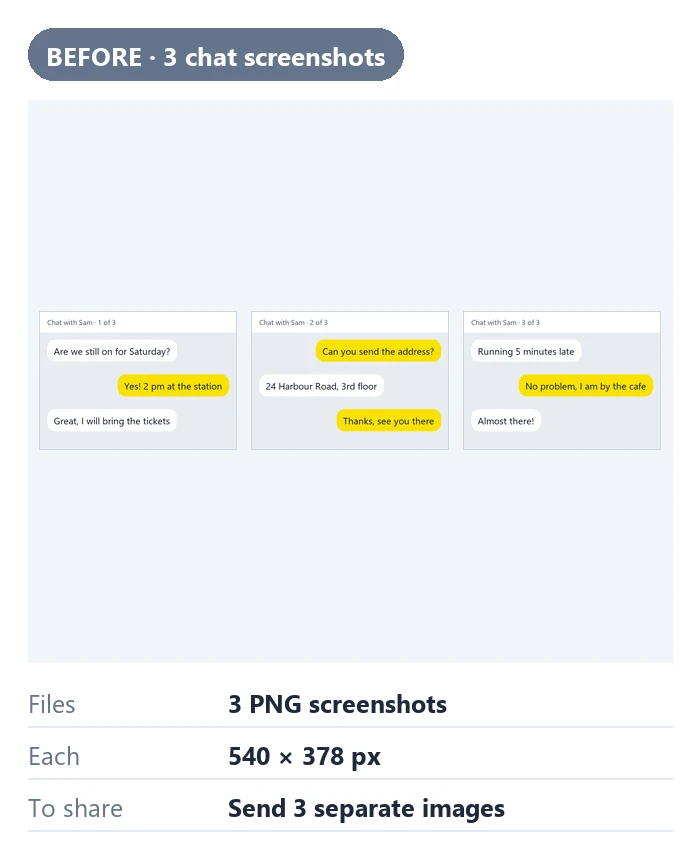
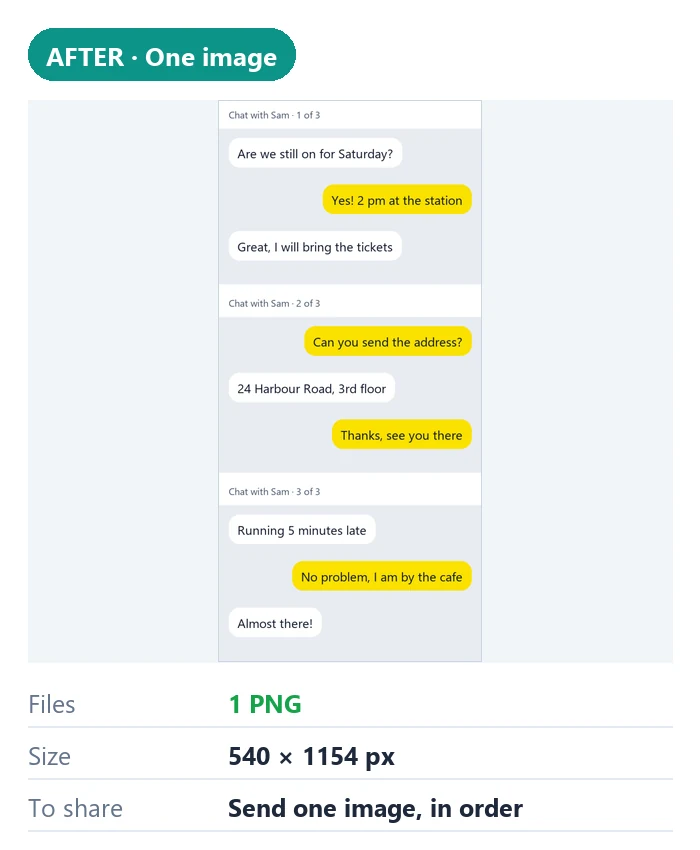
The real result of stacking three chat screenshots of the same width with a thin white gap. All inputs were PNG, so the result was saved as PNG automatically.
When to use it
Sending a long chat conversation captured in several screenshots as one image
Making a tall image for a product page or blog post
Placing before and after photos side by side
Options
Option
Choices
Direction
Top to bottom, left to right
Gap
None, thin white line, wide
Save as
Automatic, JPG, PNG
If the merged image is too large, shrink it below a set size with Compress to size or keep only the part you need with Crop image. To put several pictures into one PDF instead, use JPG to PDF.
Image formats this tool accepts
This tool accepts JPG, PNG, WEBP and HEIC (iPhone photos). HEIC photos that Windows struggles to open can go straight in without converting them first.
Phone photos are turned upright using the orientation recorded when they were taken. Results are saved as new images, so location (GPS) and device details are not included. Depending on the tool, the output keeps the original format or you can choose it under “Options”.
Frequently asked questions
Can I merge pictures of different sizes?
Yes. Stacked vertically, every picture gets the same width; side by side, the same height. The size used is the middle one of your pictures, so a single tiny or huge picture does not make the whole result too small or too large.
How many images can I merge?
There is no limit on the count. If the result would exceed what browsers can draw (16,384 px on a side, about 16 megapixels), the whole image is scaled down evenly. For very long screenshot chains, merging in a few batches keeps the text sharper.
Which format is it saved in?
Automatic by default. If every input is a PNG (screenshots), it is saved as a sharp PNG; if photos are mixed in, as a smaller JPG. You can also choose under "Options".
Is photo location data included?
No. The result is drawn as a new image, so GPS location, capture date and other metadata are not included.
Are my photos uploaded?
No. Reading and merging the pictures both happen in your browser on your device.